By Scott M. Fulton, III, Betanews

In preliminary Betanews tests Tuesday comparing the relative speeds of major Web browsers in Windows Vista- and Windows 7-based virtual machines, not only did the general performance of Microsoft Internet Explorer 8 improve by about 23%, but the latest production build of Firefox 3.0.10 appears to improve its performance by 17.5%. This despite running in a Windows 7-based virtual machine that we estimate to be 12.1% slower overall than a Vista-based VM hosted by the same environment.
These are the initial findings of Betanews' experiments in how the architecture of Windows 7 may or may not influence the performance of major Web browsers. We wanted to see whether Win7 made browsers faster or slower, and doing that meant hosting browsers in virtual environments whose relative speeds with respect to one another could be normalized.
As we discovered, Windows 7 RC Build 7100 runs perceptibly slower on a Virtual PC 2007 platform on XP SP3, than Vista SP2. This does not mean Windows 7 is a slower operating system, but rather that it behaves more slowly in this particular virtualized environment, which after all was designed for Vista. So to make our test fair, we needed to estimate just how much slower our Win7 environment was from Vista, and factor out that difference.
Up to now, we've been comparing relative browser performance in Vista using a relatively slow browser to judge against: IE7. We've used IE7 as our gauge of how much more readily other browsers blow right past it in the performance department, including IE8. But we don't want to install IE7 on Win7 -- although it's technically feasible, doing so would pollute the operating system for running Win8 and other applications. So we needed a new, slow browser that we could rely upon to stand still for us, relatively speaking.
Our first choice was Firefox 1.5, but we learned it had difficulty running in Win7 at all. We ended up using Firefox 2.0.13, not quite the final build of that series of Mozilla's browser. Our aim was to use this browser as a fair gauge of how much slower our Win7 environment was than Vista. This way, we could equalize our indexes, which are based on IE7 -- we can't run IE7 on Win7, but we can estimate how much slower IE7 would be if we could, by measuring how much slower Firefox 2.0.13 is. Though the average speed difference is 12.1% in favor of the Vista VM, for our browser benchmarks, we created differentials for each heat in the competition, to more accurately account for environmental factors between the two environments.
In the Vista VM alone, Firefox 2.0.13 puts in a performance index of 2.49, meaning it performs 249% as well as IE7 in the same environment. Compare that to Firefox 3.0.10's index score of 5.19 in recent Betanews tests in the Vista VM.
Factoring out the speed differentials, we can reliably say that IE8 gives us a performance index of 2.69 in the Win7 VM versus 2.19 in the Vista VM. Meanwhile, Firefox 3.0.10 scores a 6.10 normalized index score in the Win7 VM versus 5.19 in the Vista VM.
The news is not all good for Mozilla, however. Under the same test conditions, Firefox 3.5 Beta 4 slows down in Win7, but only by about 2.5%, scoring a 10.18 normalized index score in the Win7 VM versus 10.44 in the Vista VM. So from this angle, it appears that Windows 7 helps close the gap between Mozilla's production browser and its experimental browser. We're interested to find out whether similar discoveries await us with regard to Google Chrome, and whether Win7 will play nicely with Apple's Safari for Windows. Those results are still forthcoming.
Copyright Betanews, Inc. 2009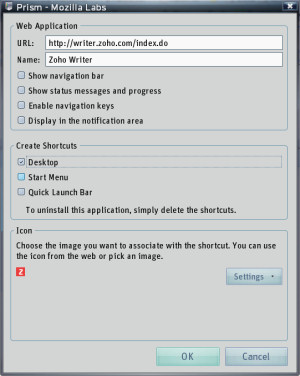 Prism comes as a two-part set. Technically, you only need the Prism "runtime" (the Firefox browser with a little less fox and more fire), though in Betanews tests on a Windows XP SP3-based machine, we had difficulty getting the stand-alone Prism to enroll a Web application as a stand-alone app. We had much better luck with the Firefox plug-in, which lets you use Firefox to browse to the application you want to enroll, then from the Tools menu, select Convert Website to Application. A very simple dialog box gives you the only options you need for effectively bringing up an instance of Prism like a browser and loading your Web app as though it were its home page. When we checked Start Menu, Prism created a shortcut there, but conveniently in the Web Apps folder rather than in the usual mess of first-tier apps.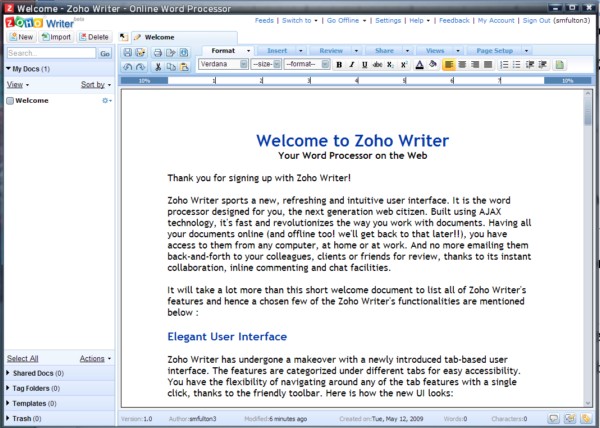
 We all remember Windows Me. It's a moniker that has become synonymous with incomparable stability problems and generally ridiculous bugs. Did you know that until recently there was also an Ubuntu Me? The "Me" in its case stood for "Muslim Edition."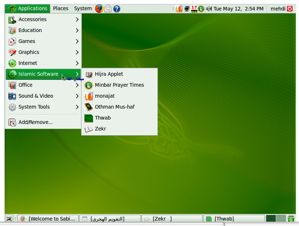
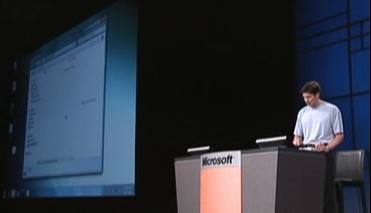 In the absence of many dramatically new product announcements (notices about the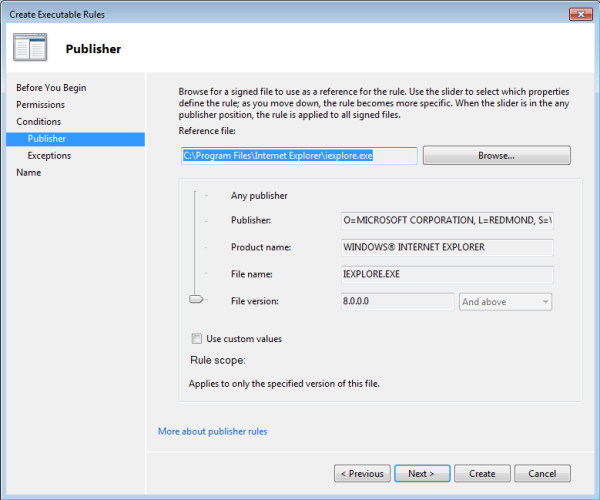
 As Russinovich described, "The slider over here on the left lets you dial up or down the specificity of your rule. For example, if I trusted everything from SysInternals [his own company, acquired by Microsoft] -- which you should, obviously -- then you'd want to set this slider to here [Publisher]. But if I slide it all the way down to here [File Version], I'm creating a rule that says that only Stock Viewer is allowed to run, and only versions 1.0 or higher. So I've really controlled exactly which application from this publisher is allowed to run, but I've still made it flexible because if version 2 comes out, I don't have to go revisit this rule. It's just going to magically work."
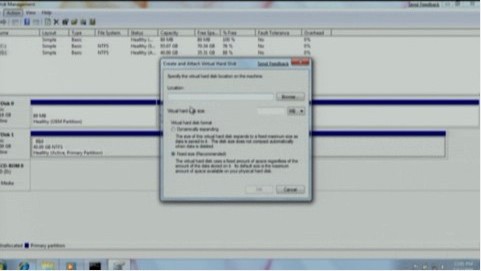 AppLocker wasn't the only demonstration garnering enthusiasm this morning; later during his time, Mark Russinovich demonstrated the first effective use of PowerShell version 2 to generate scripts for applying group policy objects. And later he received some rousing applause for the revelation that Windows 7 can mount and even use virtual hard disk (VHD) files -- the kind usually reserved for Microsoft-brand virtual machines. This way a user can have access to a VHD's contents without invoking the actual virtual host that created it. This also enables new possibilities for VHDs' portability between devices. For example, Windows 7 and Windows Server 2008 R2 can now both be set up to boot from a VHD, regardless of where it's located -- on portable storage, maybe over a network, maybe in the cloud.